Why Cheap WordPress Themes Can Cost You More in the Long Run
Choosing a WordPress theme often starts with a simple question: How much does it cost?
When dozens of themes are available for free or at very low prices, spending more on a premium WordPress theme can seem unnecessary. After all, a theme mainly controls the design of a website, so why pay more?
The reality is that the initial theme price is only one part of the total cost of running a WordPress website.
A cheap theme may save money when you purchase it, but if it creates problems with updates, compatibility, performance, security, customization, or support, the cost can quickly increase.
This does not mean that every inexpensive or free WordPress theme is a bad choice. There are many reliable free themes. The important point is to evaluate a theme based on its total value and long-term maintenance requirements, rather than its purchase price alone.
What Makes a WordPress Theme “Cheap”?
A low-cost theme is not necessarily a poor-quality theme.
The difference is often in what is included with the product.
A WordPress theme may have a low upfront price but provide limited:
- Updates
- Documentation
- Customer support
- Compatibility testing
- Customization options
- Performance optimization
- WooCommerce integration
- Plugin compatibility
- Security maintenance
Before choosing a theme, it is worth asking what you are actually getting for the price.
A theme that costs less but requires hours of troubleshooting may ultimately cost more than a well-supported premium theme.
1. Limited or Infrequent Updates
WordPress itself continues to evolve. Plugins receive updates, WooCommerce changes over time, browsers introduce new requirements, and hosting environments change.
Your theme needs to keep up.
If a theme is no longer actively maintained, compatibility issues can eventually appear.
For example, an update to WooCommerce could change how a particular feature works. If the theme has not been updated accordingly, you may experience:
- Broken layouts
- Checkout problems
- Product display issues
- JavaScript errors
- Compatibility conflicts
- Unexpected styling changes
The immediate cost may not be a new theme. It could be developer time spent diagnosing and fixing the problem.
The real cost
Suppose a developer spends several hours troubleshooting a theme conflict. Even if the original theme cost only a small amount, the development time can exceed the original purchase price.
A theme with a regular update history can reduce this type of maintenance risk.
2. Poor Plugin Compatibility
One of WordPress’s biggest advantages is its plugin ecosystem.
You can add functionality for:
- SEO
- Contact forms
- Analytics
- Security
- Caching
- Memberships
- Payments
- Bookings
- Marketing automation
- WooCommerce
But plugins need to work correctly with your theme.
A poorly developed theme can introduce conflicts through custom code, outdated libraries, excessive JavaScript, or modifications to WordPress functionality.
This becomes even more important for WooCommerce websites.
An online store may depend on several components working together:
WordPress + Theme + WooCommerce + Payment Gateway + Plugins + Hosting
If one component creates a conflict, the entire shopping experience can be affected.
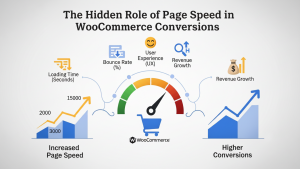
3. Performance Problems Can Become Expensive
Website performance affects more than user experience.
A slow website can increase frustration, reduce engagement, and create additional technical work for developers.
Some themes include large numbers of scripts, unnecessary animations, excessive plugins, or features that a website does not actually need.
The result can be:
- Larger page sizes
- More HTTP requests
- Slower rendering
- Poor mobile performance
- Higher server resource usage
- More optimization work
A theme should not be judged only by how impressive its demo looks.
A better question is:
How efficiently does the theme deliver the functionality my website actually needs?
Performance also depends on hosting, images, plugins, caching, configuration, and other factors, so the theme is only one part of the equation.
4. Security and Maintenance Matter
WordPress security is not something a website owner should treat as a one-time task.
WordPress core, themes, and plugins need ongoing maintenance.
An abandoned or poorly maintained theme can create additional security and compatibility concerns.
This is one reason it is important to choose themes from reputable sources and check whether they receive ongoing updates.
Before installing a theme, consider:
- When was it last updated?
- Is the developer actively maintaining it?
- Is documentation available?
- Is support available?
- Does the theme follow WordPress development practices?
- Is the theme compatible with your required plugins?
A low purchase price does not compensate for an avoidable maintenance problem.
5. Poor Documentation Can Increase Development Costs
Documentation is easy to overlook when choosing a WordPress theme.
But when you need to customize a theme, documentation becomes extremely valuable.
Good documentation should explain important areas such as:
- Installation
- Theme configuration
- Demo import
- Page setup
- Header and footer settings
- WooCommerce configuration
- Theme options
- Recommended plugins
- Common troubleshooting steps
Without useful documentation, even simple changes can require developer assistance.
For agencies and freelancers, this can directly affect project timelines.
6. Limited Customer Support
Imagine that your website stops displaying products correctly after a plugin update.
You have checked the plugin settings, cleared the cache, and reviewed the theme configuration, but the problem remains.
Now you need help.
If the theme provider offers reliable support, you have somewhere to start.
If support is unavailable, you may have to:
- Search forums.
- Read outdated tutorials.
- Test different configurations.
- Hire a developer.
- Potentially replace the theme.
The support model should therefore be considered part of the overall value of a WordPress theme.
7. Customization Can Become Difficult
A theme may look perfect in its demo but become difficult to customize once you start building your actual website.
You might need to change:
- Colors
- Typography
- Header layout
- Product pages
- Navigation
- Homepage sections
- Checkout design
- Product filters
- Mobile layouts
If the theme has limited customization options or poorly structured code, small changes can require custom development.
This does not mean every premium theme will be easy to customize. Theme quality varies at every price point.
The important consideration is whether the theme gives you the flexibility your project requires.
8. WooCommerce Stores Have More at Stake
A regular business website can sometimes tolerate a small design issue.
An eCommerce website has a different risk profile.
If your WooCommerce theme causes problems with:
- Product pages
- Cart
- Checkout
- Product variations
- Filters
- Account pages
- Payment integrations
- Mobile navigation
the issue can directly affect the shopping journey.
For an online store, theme selection should therefore be treated as part of the technical foundation of the business.
Look for a WooCommerce WordPress theme that is actively maintained and designed around eCommerce requirements.
9. Rebuilding a Website Can Be More Expensive Than Buying the Right Theme
One of the biggest hidden costs of choosing the wrong theme is migration.
Imagine spending months building:
- 100 product pages
- 50 content pages
- Custom layouts
- Navigation structures
- Theme-specific settings
- Shortcodes
- Custom CSS
Then you discover that the theme no longer fits your business.
Changing themes may require substantial redevelopment.
You may need to:
- Rebuild page layouts
- Replace theme-specific elements
- Reconfigure WooCommerce
- Fix styling
- Test mobile layouts
- Check SEO elements
- Reconfigure menus
- Test checkout
- Review structured data
- Redirect or review affected URLs
The original theme may have been cheap, but the migration is not.
10. SEO Can Be Affected by Theme Quality
A WordPress theme does not automatically make a website rank higher.
SEO depends on many factors, including content quality, technical implementation, internal linking, authority, search intent, performance, and user experience.
However, theme implementation can influence technical aspects of a website.
Poor theme development can contribute to issues such as:
- Bloated HTML
- Excessive scripts
- Poor heading structures
- Duplicate elements
- Weak mobile usability
- Slow rendering
- Poor accessibility
- Difficult customization
A good theme gives you a cleaner technical foundation. It does not replace an SEO strategy.
11. Free Does Not Always Mean Bad
It is important to make one distinction.
Free WordPress themes are not automatically inferior to premium themes.
The WordPress ecosystem includes many legitimate free themes that are actively maintained and suitable for professional websites.
The issue is not simply the price.
Instead, evaluate:
Quality + Maintenance + Support + Compatibility + Features + Documentation + Licensing
A free theme that is actively maintained and meets your requirements may be a perfectly reasonable choice.
A cheap premium theme that is abandoned or poorly developed may be a much bigger problem.
12. What Should You Look for in a Premium WordPress Theme?
Before purchasing a premium theme, evaluate the product rather than relying only on screenshots.
Check the Update History
Look for evidence that the theme is actively maintained.
Check WordPress Compatibility
Make sure the theme supports the WordPress version and plugins you plan to use.
Check WooCommerce Compatibility
For an online store, confirm that the theme supports the WooCommerce functionality your business requires.
Review Documentation
Good documentation can significantly reduce setup and troubleshooting time.
Understand the License
Make sure you understand where and how the theme can be used.
If you are an agency or developer working on multiple projects, check whether multiple license options are available.
Check Support
Understand what support is included and how support requests are handled.
Review the Feature Set
Avoid selecting a theme simply because its demo contains dozens of features.
Choose the theme that provides the functionality your project actually needs.
Premium Does Not Automatically Mean Better
It is also important not to assume that a premium theme is automatically the right choice.
A $100 theme is not necessarily better than a $40 theme.
The same applies in reverse.
Price is only one signal.
A better evaluation considers:
| Factor | What to Check |
|---|---|
| Updates | Is the theme actively maintained? |
| Compatibility | Does it work with your required plugins? |
| Performance | Is the implementation reasonably efficient? |
| Documentation | Are setup and customization instructions available? |
| Support | Can you get help when required? |
| Customization | Can you adapt the theme to your requirements? |
| WooCommerce | Does it support your store functionality? |
| Licensing | Does the license fit your project? |
| Security | Is the theme maintained and sourced appropriately? |
| Long-term use | Can the theme support your website as it grows? |
When Should You Consider a Premium Theme?
A premium theme can make sense when:
- Your website is commercially important.
- You are building an online store.
- You need professional design features.
- You expect ongoing updates.
- You need documentation or support.
- You want more customization options.
- You are building websites for clients.
- You manage multiple website projects.
- The cost of downtime or redevelopment is significant.
For agencies and developers, licensing can be particularly important.
If you are building websites for multiple clients, purchasing an appropriate multiple-license option may be more practical than repeatedly solving licensing and deployment issues on a project-by-project basis.
Always review the specific license terms before purchase.
A Simple Way to Calculate the Real Cost
Instead of asking:
“How much does this theme cost?”
ask:
“How much will this theme cost me over the next two or three years?”
Consider:
Theme Price + Development Time + Maintenance + Troubleshooting + Customization + Migration Risk
For example, a low-cost theme might save $30 at purchase but require several hours of additional development later.
A higher-priced theme that reduces that workload may have a lower overall cost for your project.
The numbers will vary from one website to another, but the principle remains useful.
The Right Theme Is an Investment in Your Website
A WordPress theme is not simply a visual template.
It becomes part of the technical foundation of your website.
For a personal blog, the requirements may be relatively simple. For a business website, agency project, or WooCommerce store, the consequences of choosing the wrong theme can be much greater.
That is why the best approach is not necessarily to choose the cheapest theme or the most expensive theme.
Choose the theme that provides the right combination of:
Design + Functionality + Compatibility + Maintenance + Support + Licensing + Long-Term Value
Final Thoughts
A cheap WordPress theme can be a perfectly reasonable choice when it is well maintained, compatible with your requirements, and supported by a reliable development process.
The problem begins when low price becomes the only selection criterion.
Before choosing a theme, look beyond the demo and purchase price. Check updates, compatibility, documentation, support, performance, customization options, licensing, and the long-term requirements of your website.
For businesses and eCommerce stores, those factors can matter far more than saving a few dollars at the beginning.
At PressLayouts, you can explore premium WordPress and WooCommerce themes for different industries and project requirements, along with available single and multiple license options.
Choose the theme based on the needs of your project, not just the price displayed on the product page.
Explore WordPress Themes
Shop WooCommerce Themes
View Single & Multiple License Options